gander / on macOS

A process viewer on macOS

htop works on macOS. What trips people up is not htop — it is that several numbers they expect on Linux have no macOS equivalent, and a viewer that shows them anyway is guessing.

This page is the honest inventory: what macOS will tell a process viewer, what it will not, and what gander does about each gap. It applies to htop and gander alike, because they read the same interfaces.

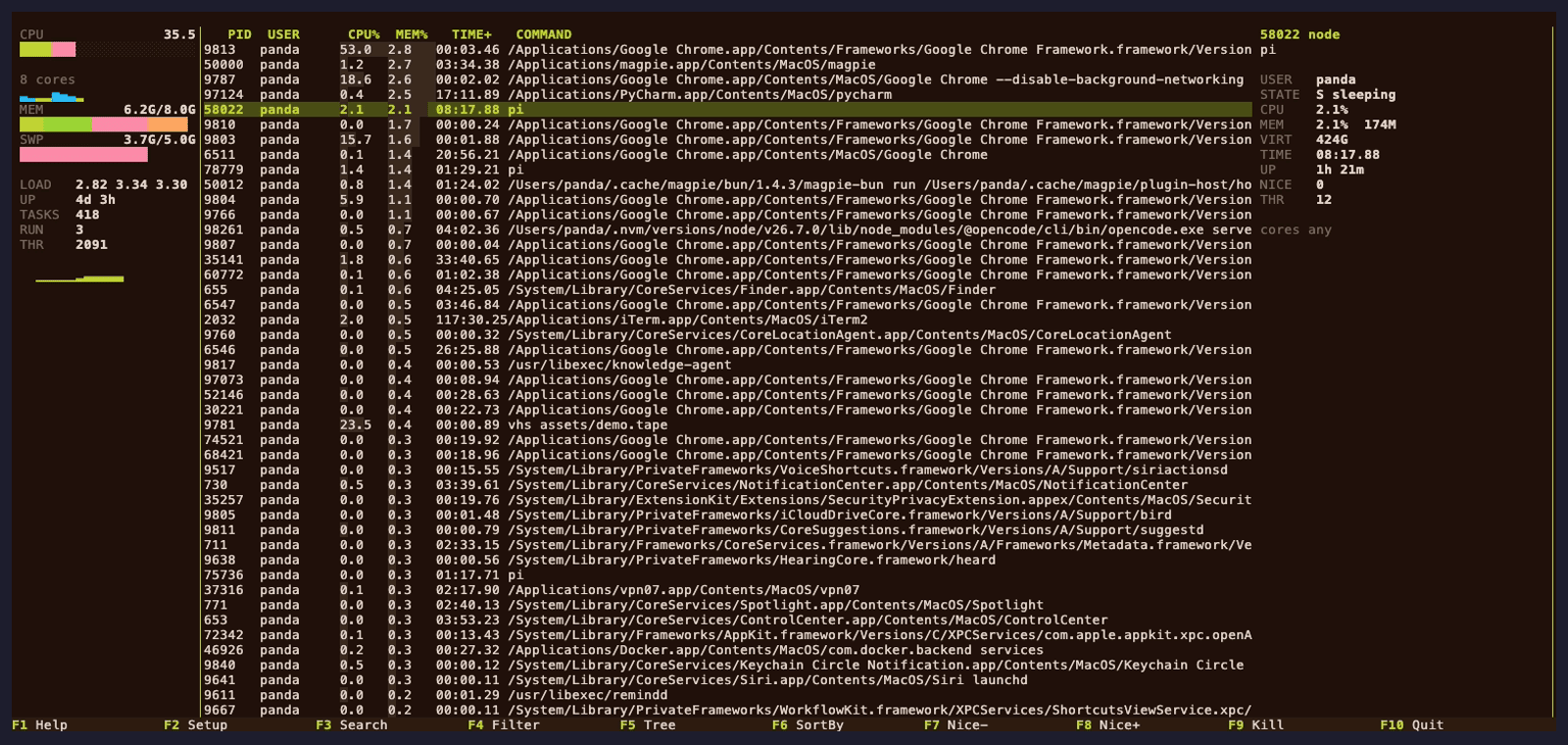
gander's panels layout on macOS, showing the process table with a selected process's details in the inspector on the right.
gander's panels layout. The memory figure is the macOS one, explained below.

What macOS does give you

Almost everything in an htop process table comes from three places, and all three work on macOS:

FigureSource
Process listproc_listallpids plus PROC_PIDTASKALLINFO
Command linesysctl(KERN_PROCARGS2)
Executable pathproc_pidpath
Working directoryproc_pidinfo(PROC_PIDVNODEPATHINFO)
ThreadsPROC_PIDLISTTHREADS + PROC_PIDTHREADINFO
Memory totals, swaphost_statistics64, hw.memsize, sysctl(vm.swapusage)
Per-core CPUhost_processor_info
Network throughputsysctl(NET_RT_IFLIST2)

So the common claim that htop "does not really work on macOS" is wrong. It works. The interesting part is the second table.

What macOS will not give you

Every row here is a Linux-only mechanism with no Darwin counterpart. The question is what a viewer does about it.

gander on macOS
PSS / EPSS per processcolumn absent, not -
PSI pressure metersmeter says n/a here
Zram / Zswap / HugePagesmeter says n/a here
Container / cgroup identityno cgroup concept; column gated out
CPU delay accountingcolumn gated out
I/O priority (i)no ioprio_set; the panel says so
GPU columnsneeds IOKit; gated out
Host-wide disk throughputmeter says n/a here
CPU affinity editinghint only

The distinction that matters is between a column that is absent and a column that renders -. A - in a column reads as "this process had no such value right now"; an absent column reads as "this system does not have the concept". gander gates the columns out of the setup screen entirely on macOS, and leaves the meters in place saying n/a here — because a config file written on Linux still has to load on a Mac, and a meter that disappears would be a broken config rather than an honest one.

Memory: the figure people think is a bug

macOS memory accounting is not Linux's, and a viewer that maps one onto the other is wrong by a visible margin. vm_statistics64 exposes two overlapping families of counters — by usage (active, inactive, wire, compressor, free, speculative) and by backing store (internal, external) — and summing across families double-counts. gander builds the figure from the backing-store family plus the two page categories it does not cover:

used      = (internal - purgeable) + wired + compressed
available = total - used

That is the same number htop prints, derived the same way, and the same number Activity Monitor and top report. So gander and htop agree with each other on a Mac. What neither agrees with is a naive total - free from vm_stat, which is the comparison that makes either tool look wrong.

The other thing worth knowing: inactive and speculative count as cache, not as used. A machine that has been up for a week is not out of memory because inactive is large — that is reclaimable.
Where gander differs from htop on a Mac

Not in the figures — in the screen. htop's panels for details are full-screen modes: e for environment, l for open files, s for system calls each replace the process list, and coming back means finding your place again. gander keeps the selected process's command line, state, memory and runtime in a column beside the table, so the list stays where it was.

The keybindings are the same, the htoprc import is the same, and L gives you htop's layout if that is what you came for. See vs htop for the keys that differ.

Install on macOS

brew install pandasir/tap/gander

# or, with a Rust toolchain
cargo install gander-bin

There are also prebuilt archives for both Apple Silicon and Intel in Releases. Requires macOS on Apple Silicon or Intel; no ncurses headers, no Xcode project.

Live testing on macOS reads the real process table, so the test suite may need to run outside a restricted sandbox. The backend comparison for all three platforms is in docs/PORTABILITY.md.

Keep reading