gander / compared with btop

gander vs btop

Both reject htop's layout. They disagree about what should replace it: btop draws the machine, gander lists the processes.

Pick btop when the question is "how is this machine doing". Pick gander when the question is "which process is doing it" — or when you want the answer to that question in a script.

Different tools that look like the same category

btop is a resource monitor: CPU, memory, network, disk and temperature as graphs and braille plots, with the process list as one box among several. It is good at what it does, and if you want a dashboard it is the right answer.

gander does not try to be a dashboard. It is a process list — the same thing htop is — with the detail of the selected process moved from a separate screen into a column. The screenshots are the honest summary:
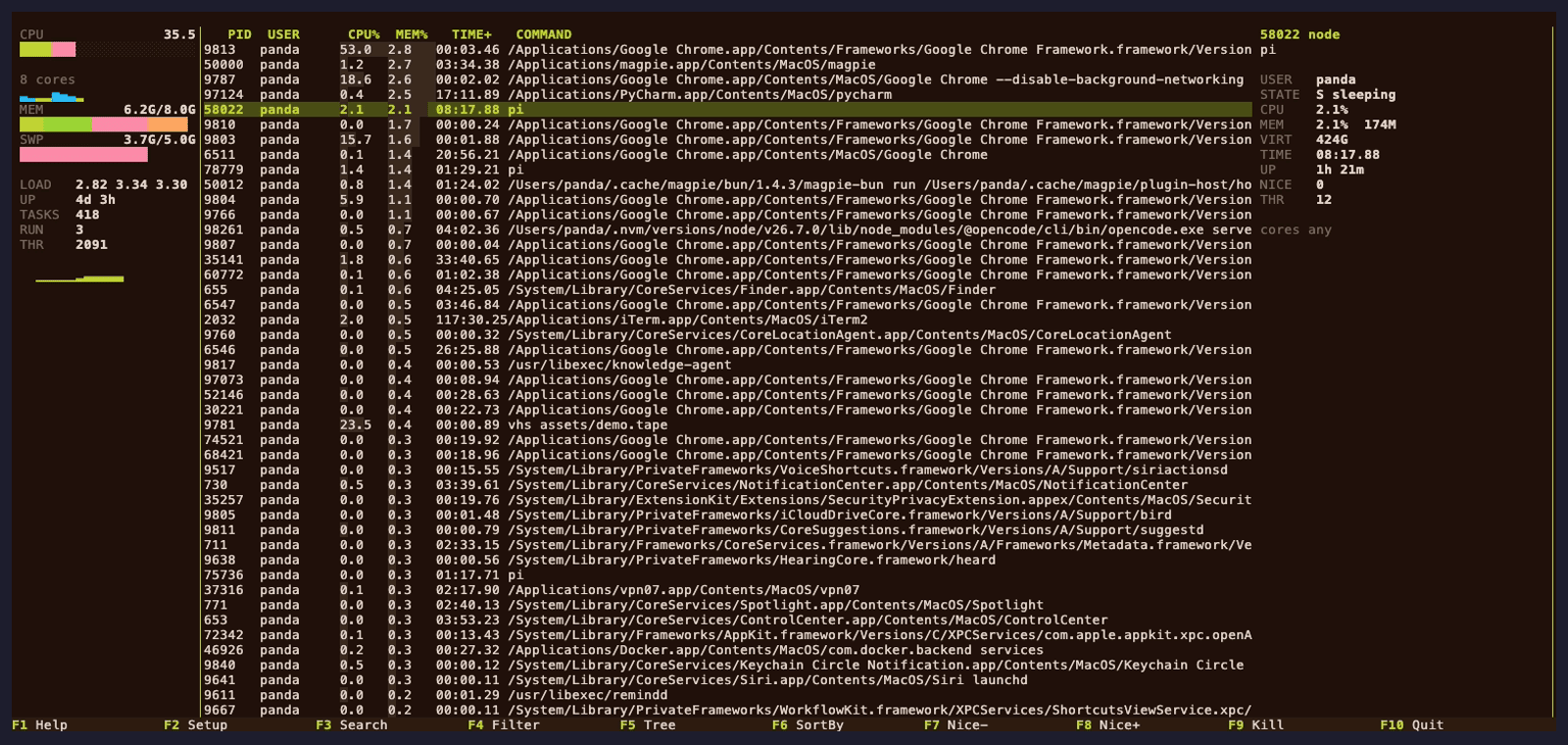
gander's panels layout: one aggregate CPU bar, a memory and swap meter, a compact per-core grid in one column, and the process table with the inspector. gander panels — meters compressed into one column
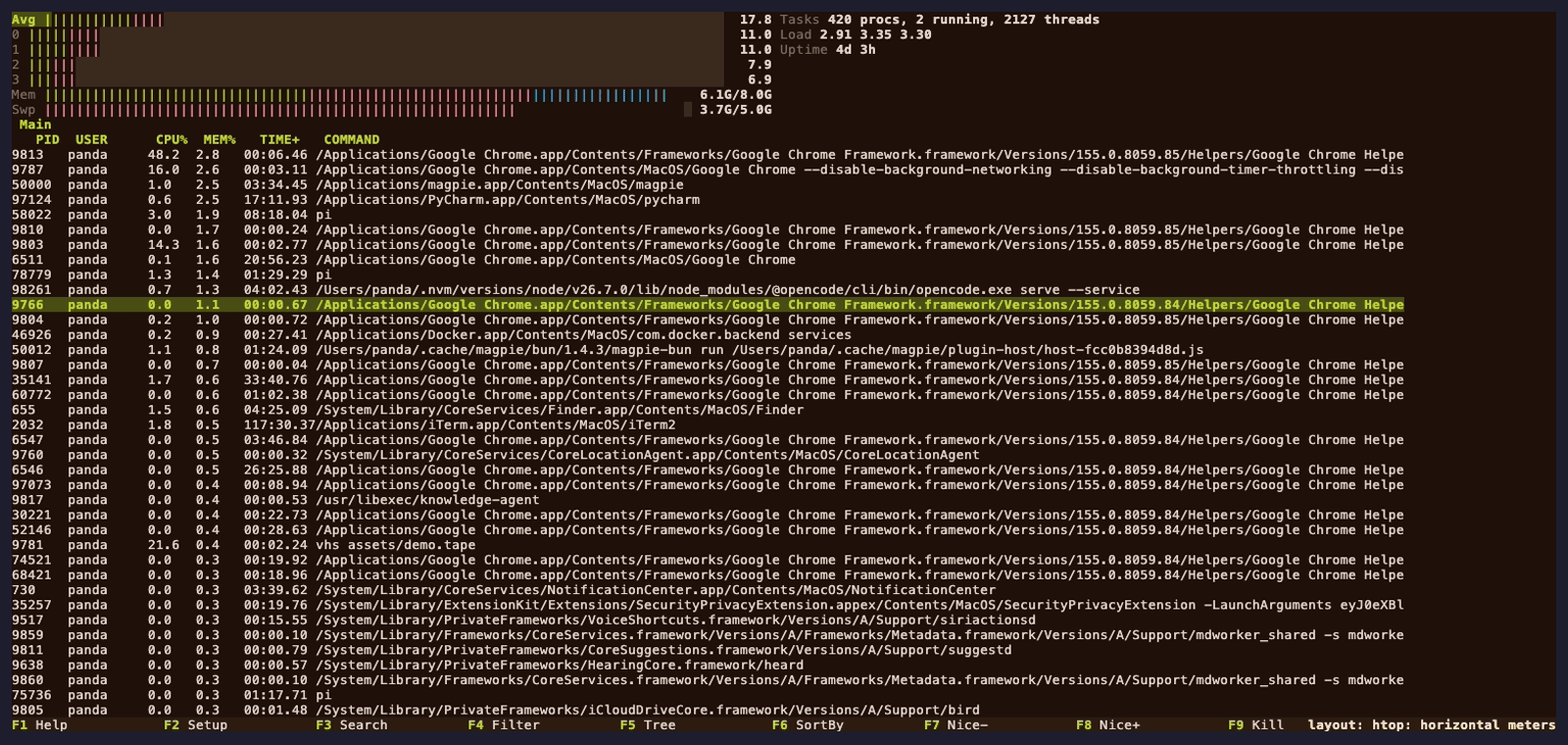
gander's htop layout: horizontal meters across the top and a full-width process table. gander htop layout (L)

Side by side

ganderbtop
Primary question it answerswhich processhow is the machine
A layout that is not htop'spanelsyes
Keeps htop's keybindingsyesno
Reads an existing htoprcyesno
Selected process's details beside the listyesno
CPU / memory / network / disk graphsCPU, memory, disk, network, PSIall four, plus temperature
Linux, macOS, FreeBSDall three, supportedall three, built in CI (also NetBSD, OpenBSD)
--json batch mode without the TUIyesno
Written inRustC++
LicenseGPL-2.0-or-laterApache-2.0

btop's platform list is genuinely broader in one direction — it also builds for NetBSD and OpenBSD, which gander does not. If those are your systems, btop is the choice and this page is not for you.

The scripting difference is the practical one

btop is a screen. There is no supported way to ask it for a machine-readable snapshot, so anything automated has to either scrape the display or read /proc itself.

gander's batch mode is the same binary with the TUI turned off:

gander --json --limit 10                   # one JSON sample, top 10 rows
gander --sort PERCENT_MEM --limit 20       # heaviest 20 by memory
gander -F "python|node" -n 5               # five samples, filtered

That is not a feature you use every day. It is the difference between a tool you look at and a tool you can put in a cron job.

Install

brew install pandasir/tap/gander     # macOS
cargo install gander-bin             # any platform with Rust

Signed apt and dnf repositories, plus archives for seven targets, are on the install section.

Keep reading